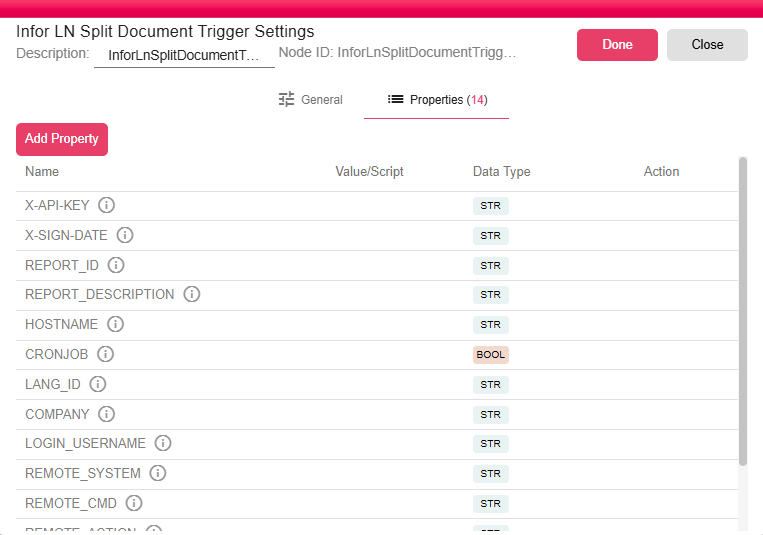
Infor LN Split Document Trigger
The Infor LN Split Document Trigger receives input file from Infor LN by the B2Win Suite device, it will split the input and generate one PDF document for each.
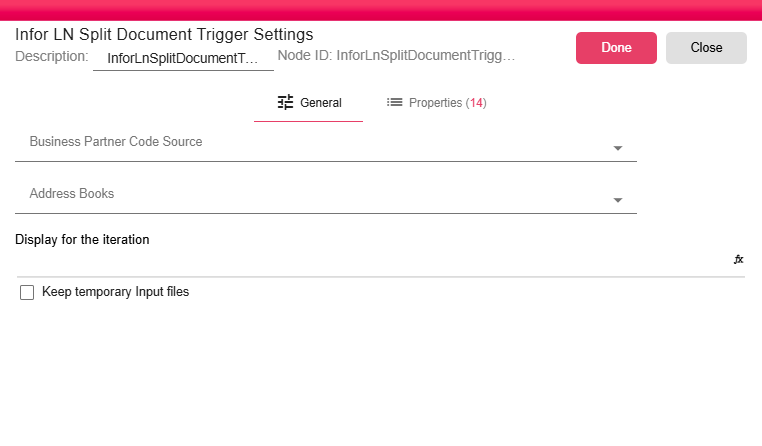
General
- Business Partner Code Source: Select the property from which the business partner code should be read from. This business partner code will be used when picking the right contact from the address book for each document.
- Address Books: Select the address book(s) to use when resolving business partner address information during the split.
- Display for the iteration: An optional expression that defines what is shown as the display label for the end user for each iteration when the workflow runs. Properties can be used in the expression to make it more dynamic.
- Keep temporary Input files: When checked, the temporary document files received from Infor LN are retained after processing instead of being deleted automatically.
Properties
The Properties tab lists runtime properties populated by the trigger from the incoming Infor LN document event. These properties can be read by downstream nodes in the workflow.