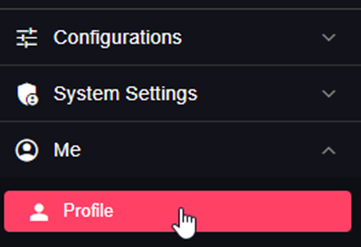
Profile
In the profile tab you can change your personal details, such as (profile picture, email, password, name, etc.)
Settings
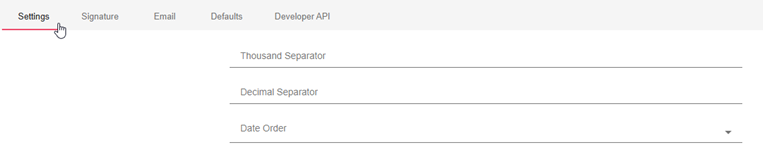
Thousand Separator
When converting to Excel, B2Win Suite system will need the Input thousand separator which is used in the report data that is coming from the ERP system.
Also it will need the Output thousand separator which is the one used on your local machine, and will be used in the output file generated by B2Win Suite conversion.
Note that when these fields are empty in your profile, B2Win Suite will use the Input/Output thousand separator set in the System Settings -> Settings.
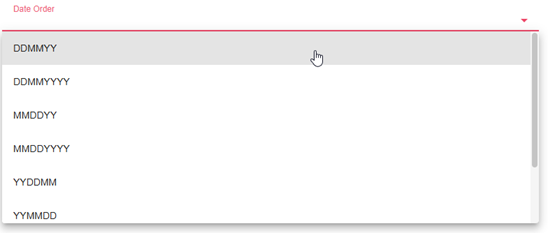
Date Order
When converting to Excel, B2Win Suite system will need the Date Order of the date as it comes from your ERP system.
Signature

Here you can choose the signature type from these options.

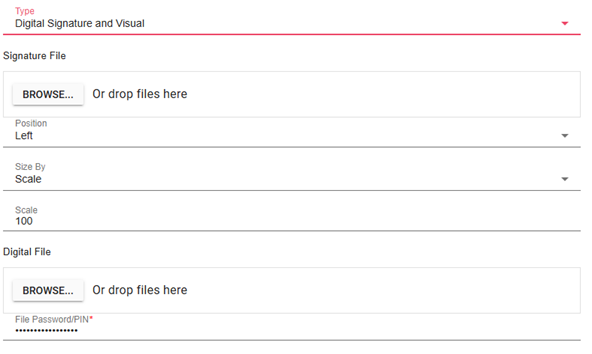
Visual Image Only: You should set the image, the positions and the size for your signature and the scaling.
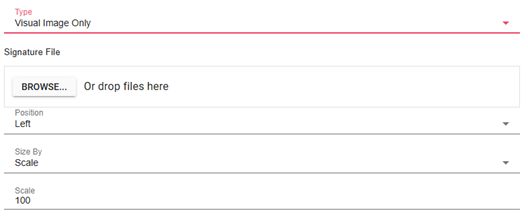
Digital: You need to upload your p12 digital signature file and save its password in your profile.
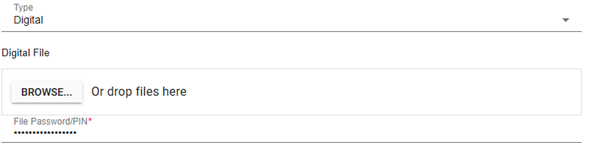
Digital Signature & Visual: In this case you need to set the digital signature and the image details for your signature to get both of them on your documents.
E-Mail Settings
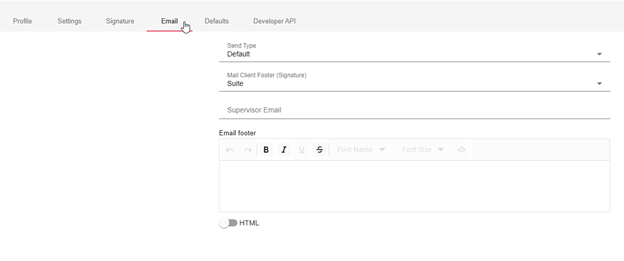
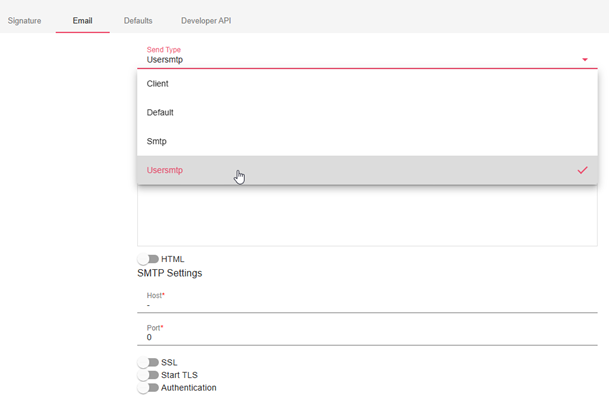
In the email settings, here you specify the sending type, SMTP or Client (send emails through the client mail application) or Default which means the sending type is according to the system settings. Also email settings include the supervisor email that will be taken when you check "Mail Boss" in the send dialog in B2Win Suite.
And you can specify the footer to be added to your email messages. You can choose it to be html or just a simple text.
When the user footer is empty, the company footer is used.
SMTP Settings
For you to be able to send an email from your personal email, you should set the SMTP settings for your email, ask your system administrator if you do not know your SMTP settings.
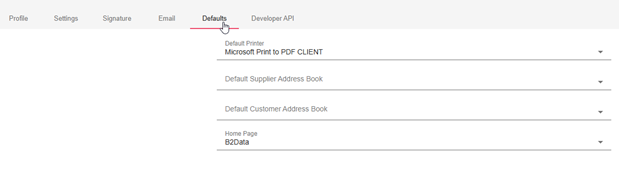
Defaults
Preferences
Default Printer
This is the default printer that should be chosen by default when you choose the print action.
Default Address Book
The user's default address book is used with Smart-Engine when the address book is set to 'User-Default' in the address key.
Default Home Page
The default home page which will be opened when the user logs in B2Win Suite.