Backgrounds
In backgrounds, you can define the layout or background of a report, it can be PDF or JPEG image format, and will be imposed to the background of a page like a PDF format.
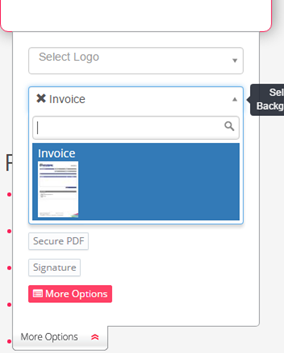
You can choose your Background from inside B2Transform Interface
To List all the background settings, go to Backgrounds on the left sidebar and click on Backgrounds, and you will be directed to the list of all backgrounds defined in the system, with a similar view like this if you have already defined some backgrounds: 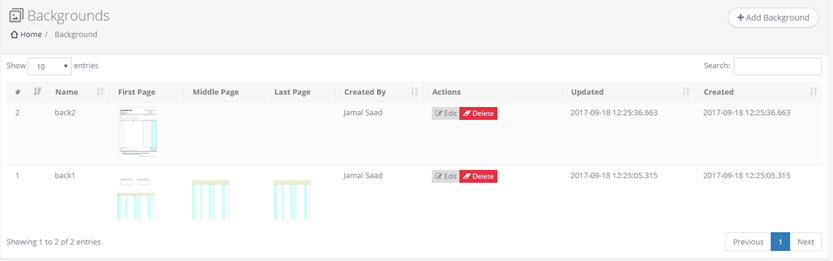
You can edit or add new background from Edit button on each background or click on Add Background button at the top of the backgrounds list, and you will get a form like this:
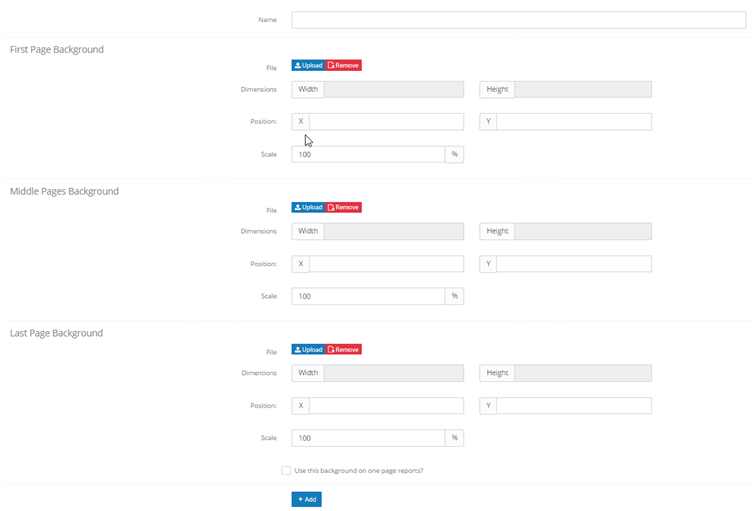
You can choose whether the report includes background or not by selecting a background from the backgrounds list in the More Options window in B2Transform.