Workspaces
Workspace is a logical container within B2WinSuite that provides an isolated environment for managing and executing business processes, different workflows and generating reports from different ERP systems.
Workspaces let you partition configurations, data, and permissions into isolated areas.
For B2Output, each workspace will contain all the data coming from one ERP system. Data such as reports/companies/Business partners/Contacts and address books will be gathered in one workspace related to one ERP server. This makes it easier for the user to work with B2Output, when B2WinSuite is connected with multiple ERP servers.
For B2Data, workspace organizes and manages workflows. You can create workspaces for different purposes according to your needs and assign to each one the related workflows, this makes it easier for the users to locate the workflows that are related to their work and check their statuses.
The application always guarantees a Default workspace.
Each user only sees and works within the workspaces they have permission to access.
Create and manage workspaces
Go to Configurations > Workspaces and you can manage all the existing workspaces
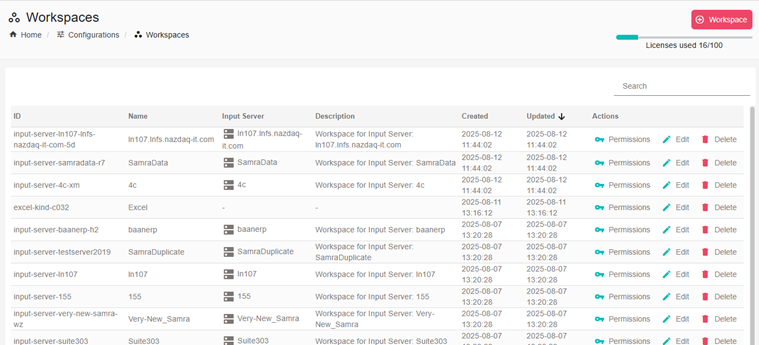
Each workflow has a unique id, name and description. You can set the permissions for each workflow to determine which users have access.
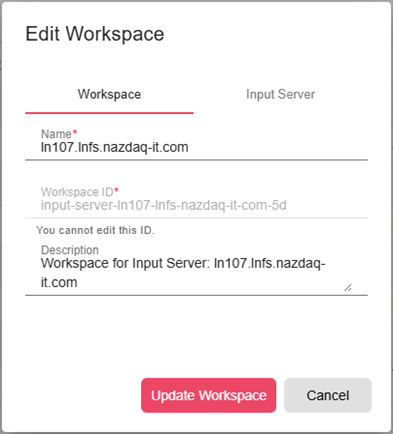
Some workspaces are connected with an input server, which means all reports that are printed from this server to B2Output will belong to the connected workspace. You can find the input server settings in the second tab.
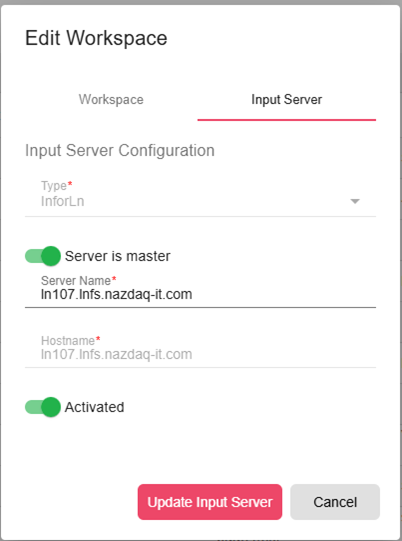
Creating a new Input Server automatically creates a new workspace and assigns the current Input Server to it.
Selecting and switching
You can find the current workspace in the top header of any B2WinSuite page.
Click on the workspace in the top header to select another one, see all workspaces or create a new workspace.
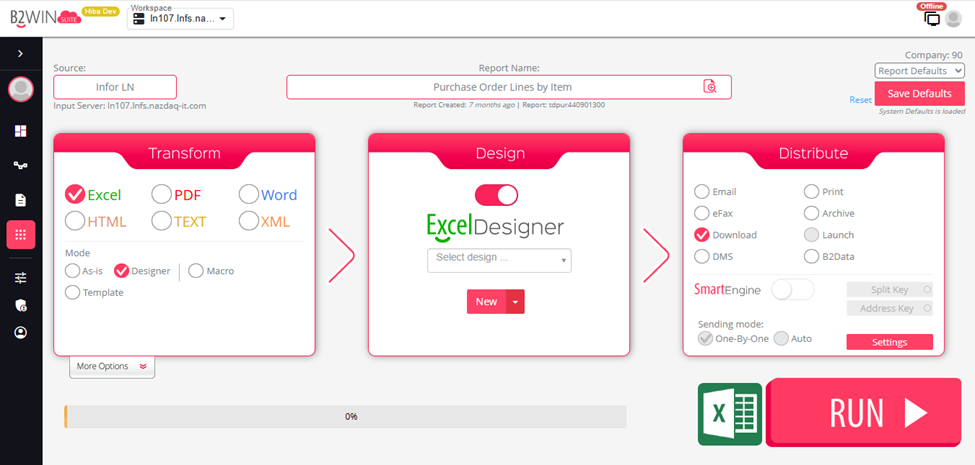
You also have quick access to the recent workspaces you have accessed, which will be at the top of the list.