Input Form
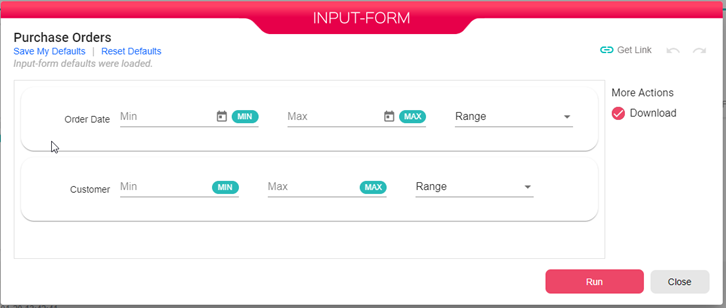
Some B2Data Reports are built with Input Form. The Input Form is the form opened when you run the report, in this form you get to insert your input for running the B2Data Report. And your input will affect the report output.
Ranges
You can insert the from and to values for each field in the input form, and this will determine the report data range.
In case you need all values for a specific field you need to have the whole range from Min value to Max value. (Click on Min and Max buttons on the right side of each field to enable or disable these values)
You can also change the field input from Range to Specific which will allow you to insert a number of specific values for the input field.

Date fields
When the field is of type date, then you can use the date picker to select a date.

Defaults
You have the option to save all the values that you inserted in the input form so that each time you print the report you get the input form with these same values.
And in case you want to delete these defaults or remove all values you inserted, you can click on Reset Defaults.
