Execution Configuration
Every workflow can be configured separately and have its own configuration, to access the list of all configurations.
General
In the general tab you can set general settings in the workflow execution
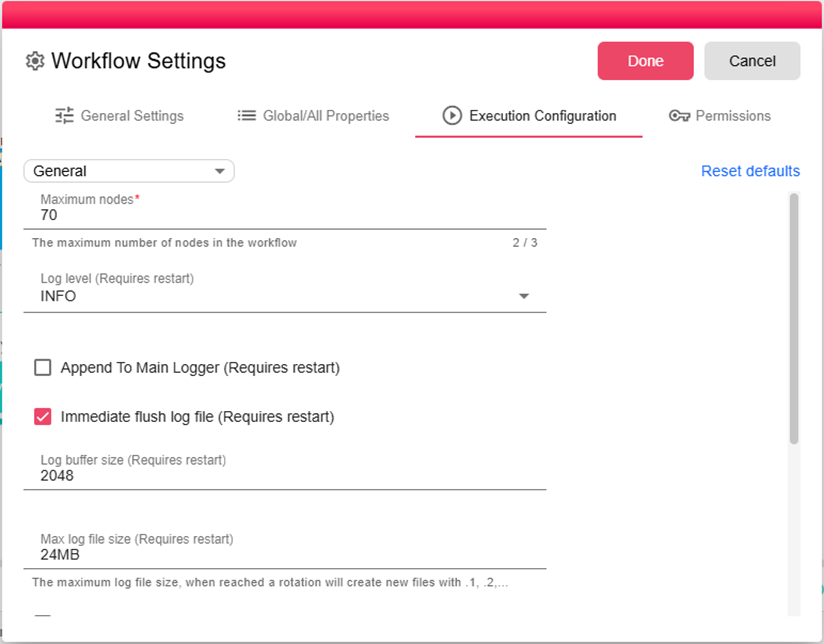
Maximum nodes
The number of maximum nodes you can add to the workflow.
Maximum nodes
Log level to print in the log tab in the bottom panel
Append To Main Logger
By checking this the log of the execution will be Appended to main log (Applicatio.log)
Default date format
Set the default date format that will be used in the workflow
Default timezone
Set the default time zone that will be used in the workflow
Runtime
In the runtime tab you will find settings that are related to execution runtime
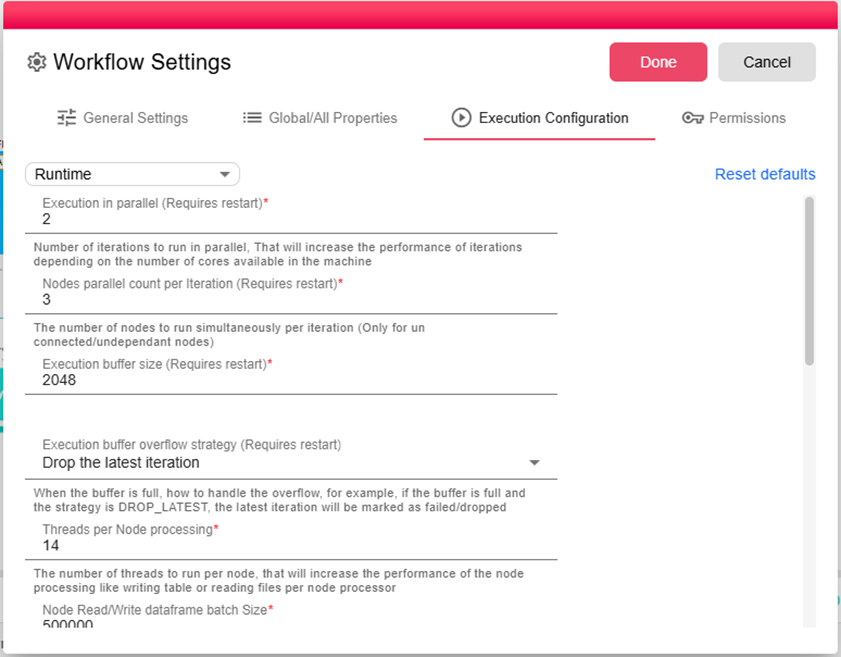
Execution in parallel
Number of iterations to run in parallel, That will increase the performance of iterations depending on the number of cores available in the machine
Nodes Parallel count per iteration
The number of nodes to run simultaneously per iteration (Only for un connected/undependant nodes)
Execution buffer overflow strategy
When the buffer is full, how to handle the overflow, for example, if the buffer is full and the strategy is DROP_LATEST, the latest iteration will be marked as failed/dropped
Threads per node processing
The number of threads to run per node, that will increase the performance of the node processing like writing table or reading files per node processor
Node Read/Write dataframe batch Size
The max row size of a dataframe.
Trigger scheduler interval (duration)
The interval that the trigger wakes up to check for new iterations.
Iteration Processing timeout (duration)
The maximum time for iteration to run.
Stopping timeout (duration)
The maximum time to let the execution stop.
Preview timeout (duration)
The maximum time to let the node preview it's output.
Auto recover on failure
Allow/Deny auto recover for execution on failure.
Storage
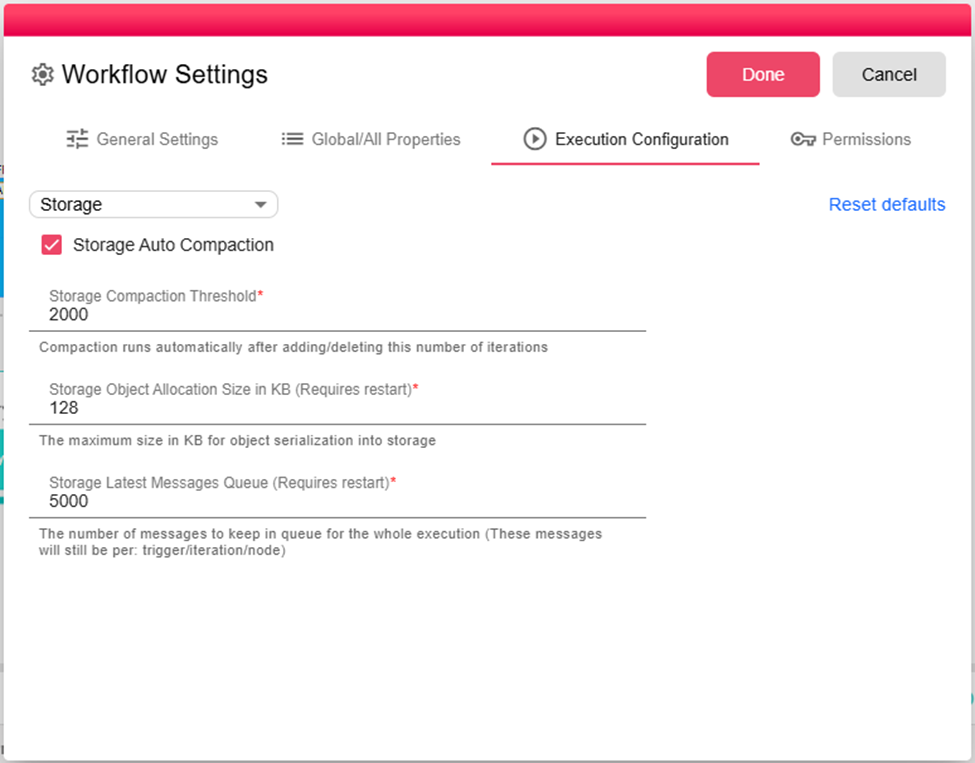
Storage Compaction Threshold
Compaction runs automatically after adding/deleting this number of iterations
Storage Object Allocation Size in KB
The maximum size in KB for object serialization into storage
Storage Latest Messages Queue
The number of messages to keep in queue for the whole execution (These messages will still be per: trigger/iteration/node)
Cleanup
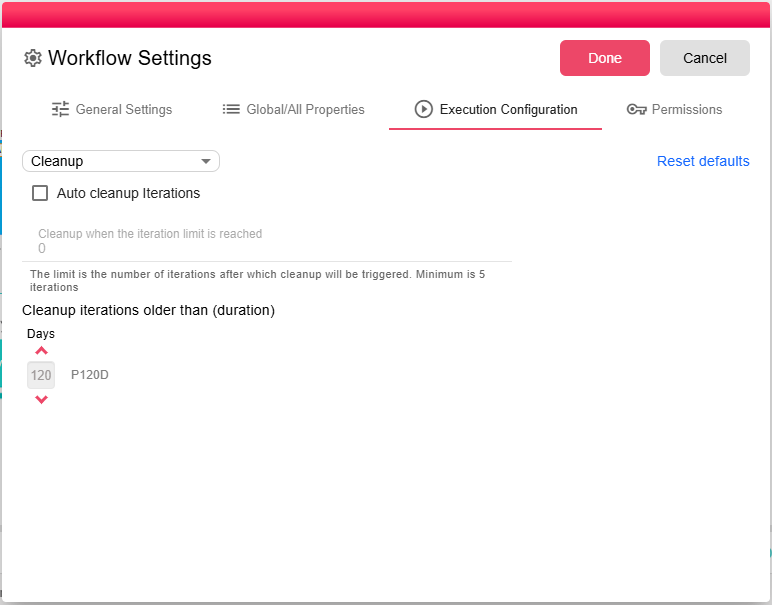
Auto cleanup Iterations
Enable/Disable auto cleanup for iterations
Cleanup after limit
Cleanup iterations history after limit exceeds. 0 means no limit, the limit needs to be greater than 10
Cleanup iterations older than (duration)
Cleanup iterations older than specific time.