Logo Footers
The logo is where you define the header, footer as logos for the reports, you can define as many logos as you want, logos can be PDF or JPEG file formats.
You can see the defined logos inside the B2Tranform application for the formats that support logos.
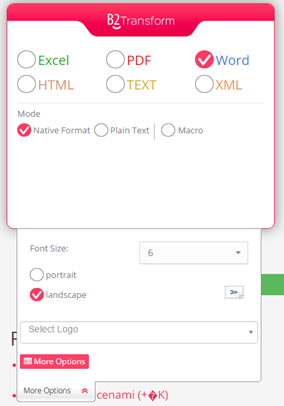
The header logo will be added to the header region inside the report and the footer logo will appear at the end of the report page.
To list all the logos defined in B2Win Suite, in the left sidebar click on Logos & Footers and you will see the list of logos directly.
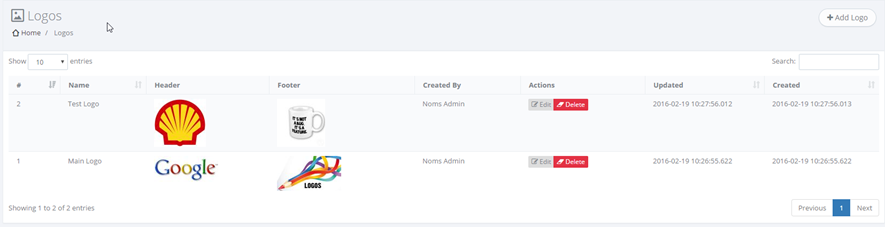
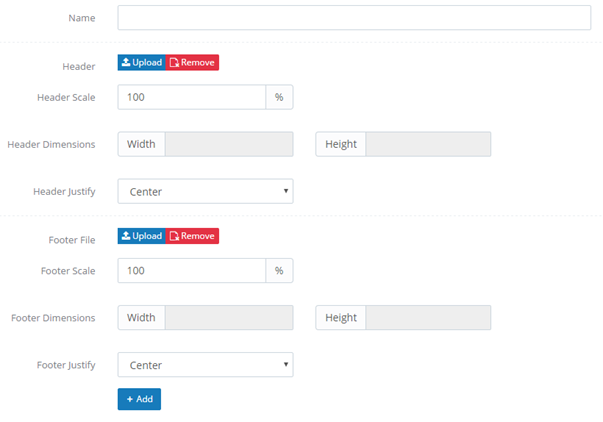
To add a new logo click on Add Logo and fill in the form with the needed input (Note: Image files can only be JPEG or PDF files)
When printing reports from different companies to B2Win Suite, you can have the current company logo automatically selected in the B2Transform without any user interaction. For that you need to manually connect the company with its logo in company settings. In order to do that you need to go to Companies on the left sidebar and choose the company you wish to connect a logo to, click on Edit, then choose a logo in the Connected Logo field and click on Update.
