Messages
This is where you define the default message that will be set for each language id, language id is the unique code that comes from your ERP Input Server, and it can be any string. When running B2Win, you will get this message in the sent e-mail, the message will be selected by the language id that is coming from the ERP system when no other message is defined.
Messages can be either HTML formatted or Text.
To view the list of all messages, go to Messages in the left sidebar, and you will have all the list of messages defined in the system:
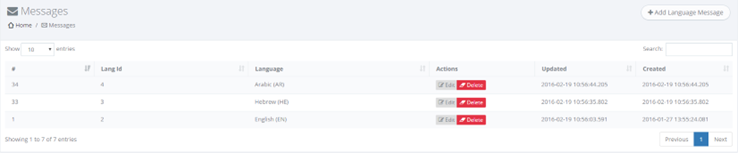
To add or edit a message you can access the edit/add form when you click on Edit button next to the message row, or at the top click on Add Language Message, and a form like this will appear:
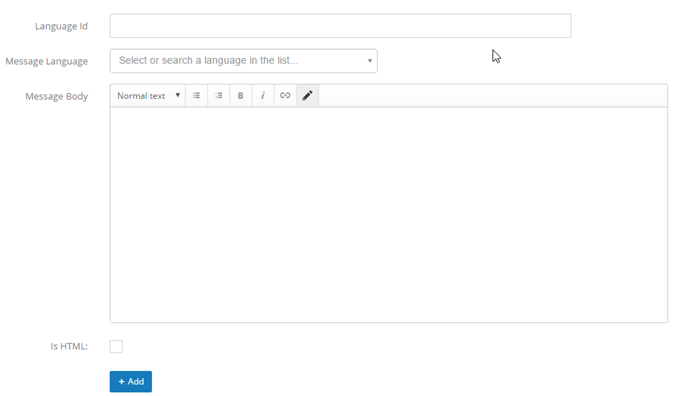
You need to specify the Language Id (This is the unique id that comes from your Input Server, it can be any string, and should be unique).
Specify the language from the list and then you should fill the message content using a WYSIWYG editor of HTML or TEXT format.